









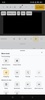

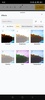

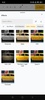




CutWire Drift is a free, open-source video editor for Android, packed with multitrack editing tools, visual effects, transitions, automatic subtitles, and audio mixing features. It lets you combine videos, images, text, stickers, and shapes on a single timeline, with precise controls for trimming, splitting, and rearranging clips. It's designed to help you create videos on your smartphone without watermarks, mandatory accounts, or subscriptions, and files are processed directly on your device. With so many features, it's a great alternative to CapCut.
Precise edits with the timeline
CutWire Drift features a timeline where you can layer video, audio, text, subtitle, sticker, and shape tracks. You can also trim and split clips, duplicate them, combine consecutive segments, separate audio from video, and freeze frames to create more elaborate compositions. Plus, you can adjust the duration and position of each element, set a work area to export just a selected section, and undo changes whenever you need to revert to an earlier edit.
Visual effects, filters and transitions
The app includes GPU-accelerated effects and transitions that you can preview on your own videos before applying them. It also provides you with effect templates that let you change the look of a recording using ready-made presets. This lets you experiment with different visual styles, create scene transitions, and give your videos a more polished look without having to configure each effect individually.
Generate subtitles automatically
The editor uses speech recognition to generate synchronized subtitles from videos containing spoken audio. Once the transcript has been generated, you can edit the text and adjust the timing of each line on a dedicated track. Speech recognition runs locally using downloadable speech models, so your audio doesn't need to be sent to external servers to generate subtitles.
My thoughts after trying CutWire Drift
I was impressed by how many editing tools CutWire Drift offers, especially for an open-source Android app. Its multitrack timeline gives you plenty of control and makes precise editing much easier. I also appreciated the automatic subtitle generation feature and the fact that speech recognition runs directly on the device. Another advantage is that you don't need to create an account, and there are no watermarks or subscriptions required to use its tools. Overall, I think it's a very handy Android video editor, especially if you want more control over your videos without relying on apps with limited features or paid subscription models.
The best and worst things about CutWire Drift
• What I liked most is that it has dozens of free editing tools without watermarks.
• What I liked least is that it's a fairly advanced editor and can be a little hard to get to grips with at first.
Download the CutWire Drift APK for free and create videos on your smartphone with multitrack editing, effects, subtitles, and watermark-free exports.
CutWire Drift is for you if
✓ You need precise multitrack editing to combine and arrange video, audio, text, and images
✓ You value automatic, locally generated subtitles you can correct and synchronize without uploading audio
✓ You want watermark-free exports without accounts or subscriptions, processed directly on your device
Requirements (Latest version)
- Android 9 or higher required




























Comments
There are no opinions about CutWire Drift yet. Be the first! Comment